
Conquer Japanese novels, papers & manga
Stop wasting hours handling Japanese files. Mooon automates content extraction, layout conversion, furigana annotation, file translation, and much more
General Mode
FasterIdeal for most files, e.g., horizontal layouts.
Enhanced Mode
SlowerIdeal for complex layouts, e.g., vertical layouts.
Note: Mode selection only affects processing speed and accuracy. No difference in billing and usage counting.
Read Novels & Papers
After high-quality file content extraction, Mooon will...
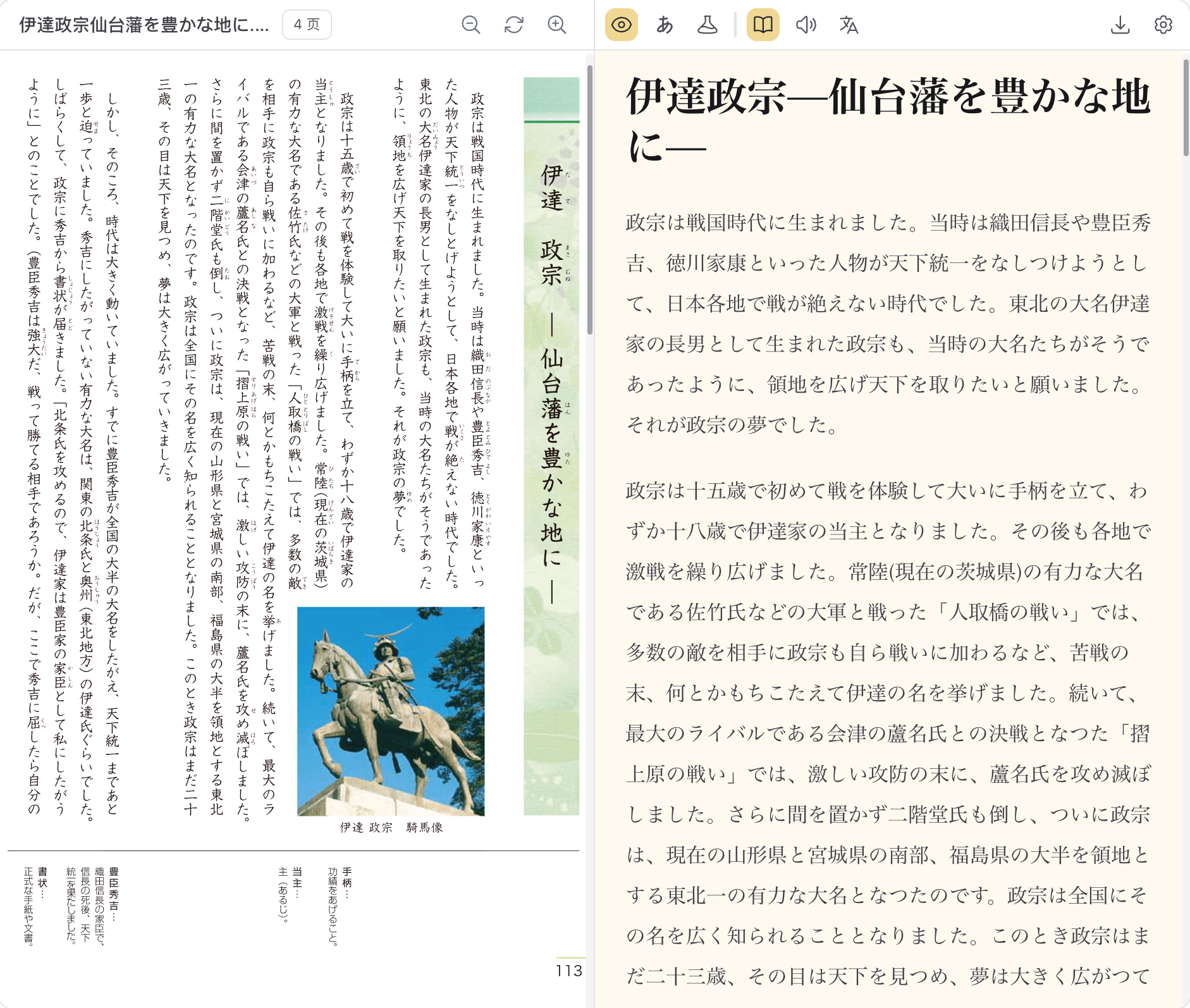
Vertical to Horizontal
Convert vertical, columns, mixed layouts to clean horizontal layout
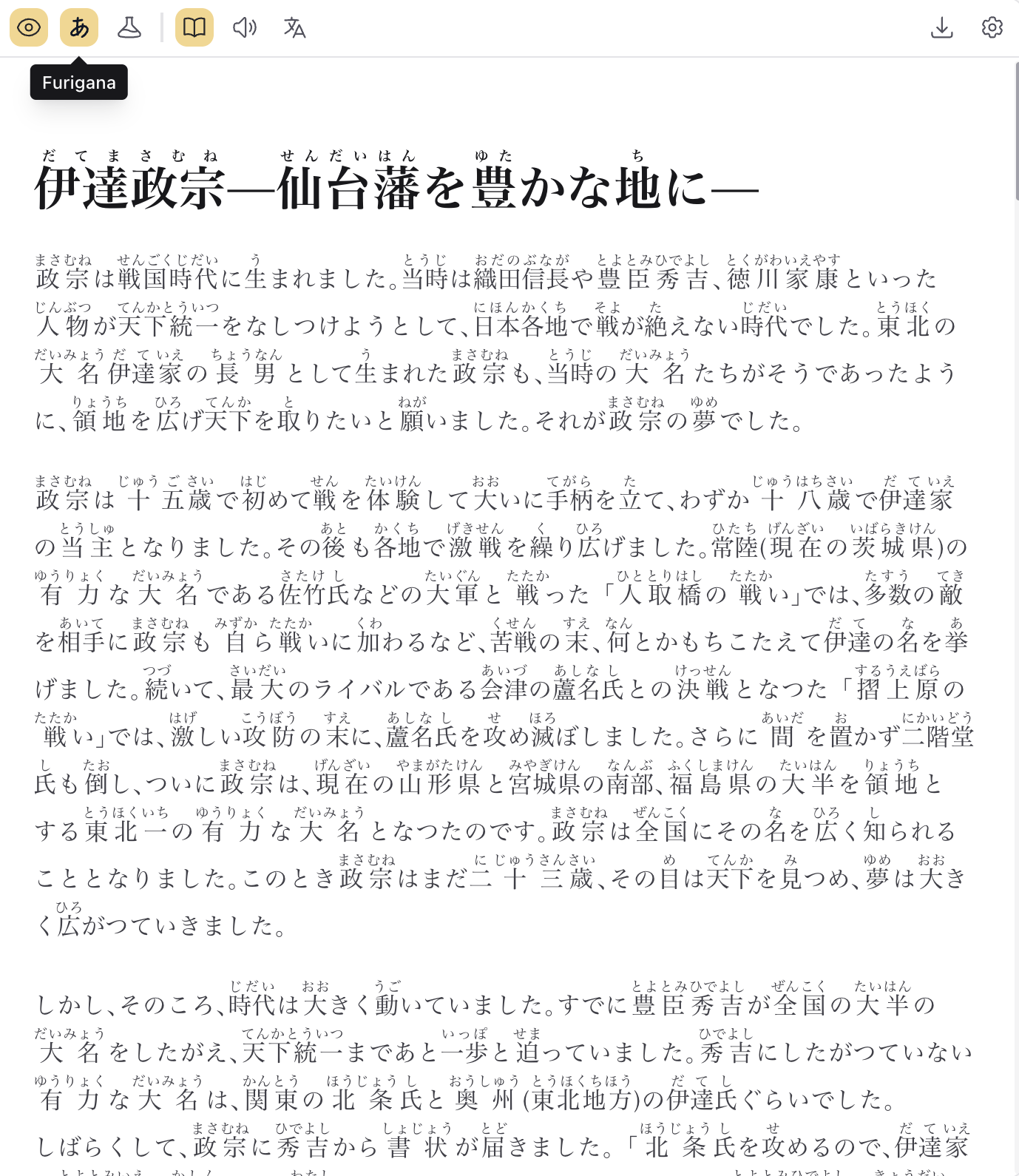
Furigana Annotation
Add furigana to kanji & borrowed words with accuracy
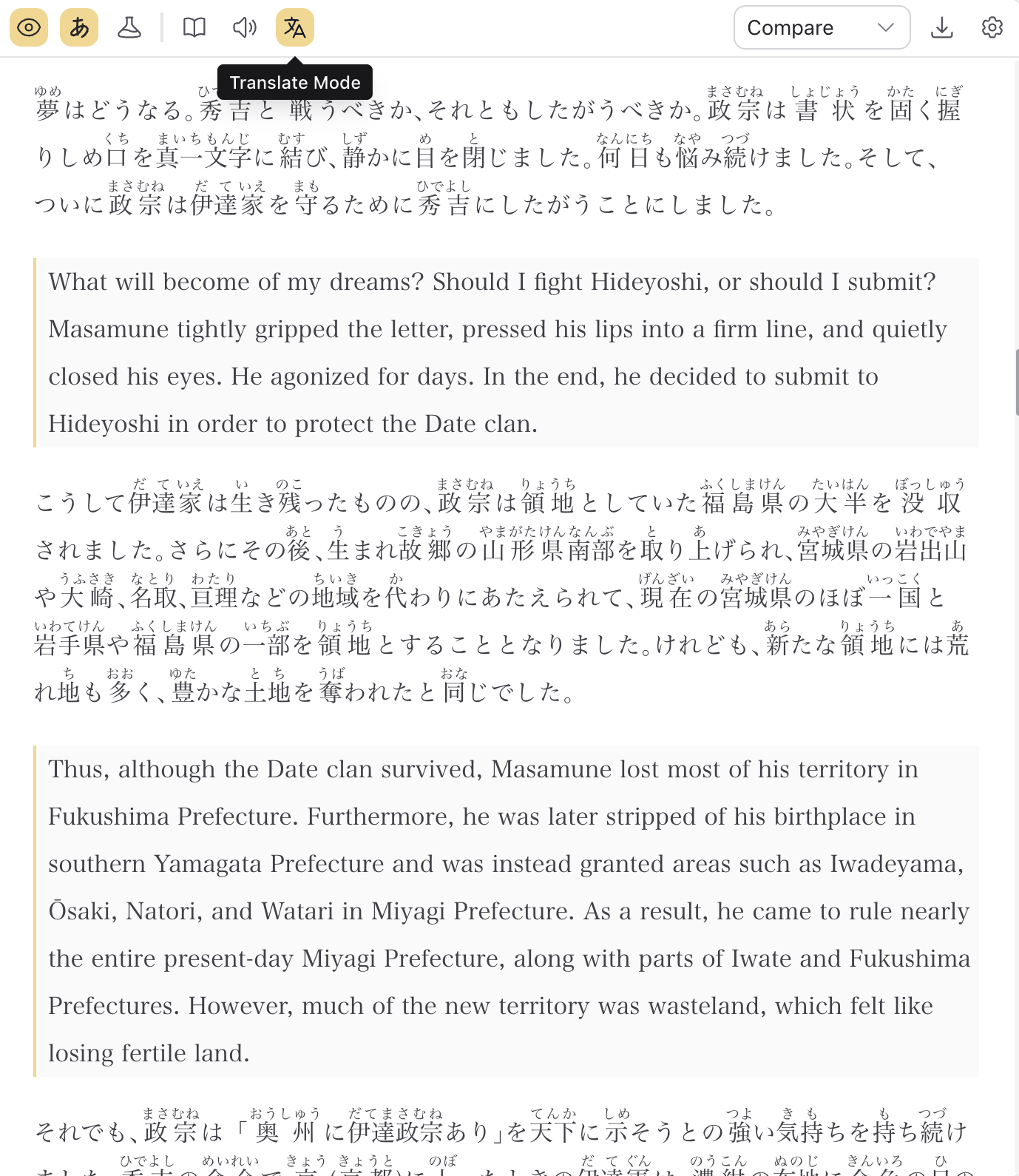
File Translation
Translate a file with or without the original content in parallel
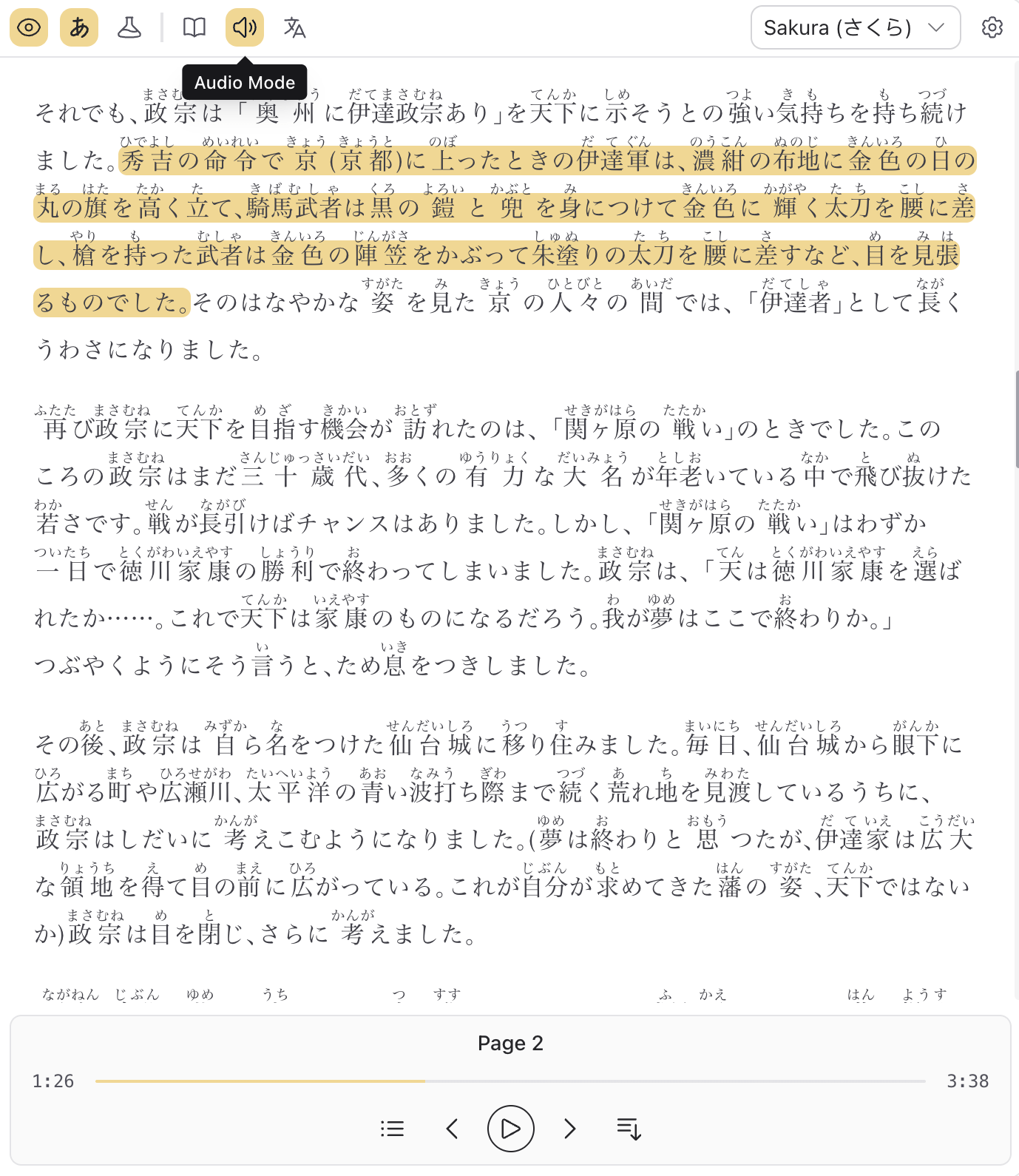
File to Audio
Turn a file into an audiobook with natural Japanese voices
Vertical to Horizontal
Convert vertical, columns, mixed layouts to clean horizontal layout
Furigana Annotation
Add furigana to kanji & borrowed words with accuracy
File Translation
Translate a file with or without the original content in parallel
File to Audio
Turn a file into an audiobook with natural Japanese voices
Read Manga
A powerful engine for manga processing, editing, and reading
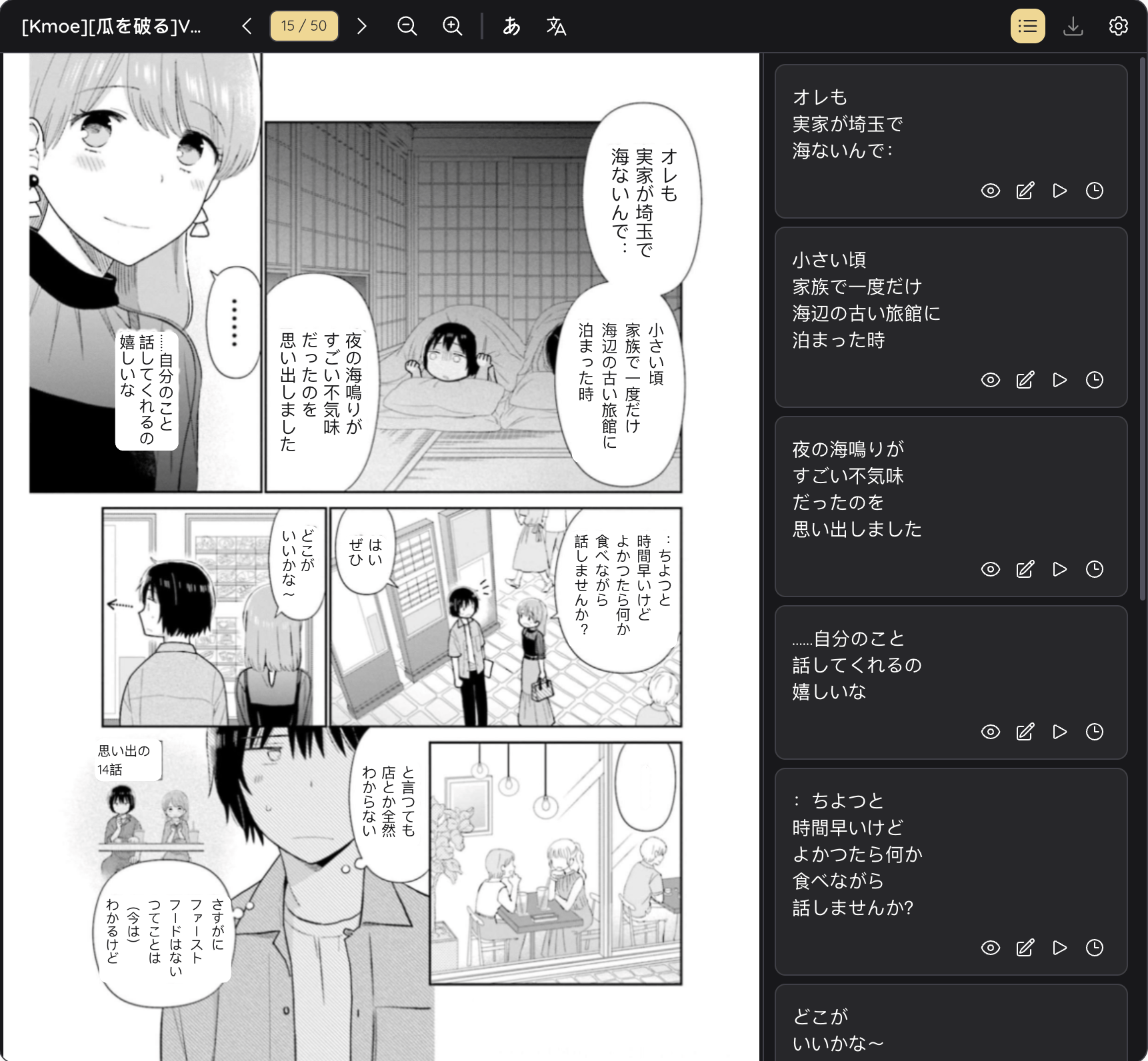
Content Extraction & Edit
Extract content from manga bubbles to copy & edit
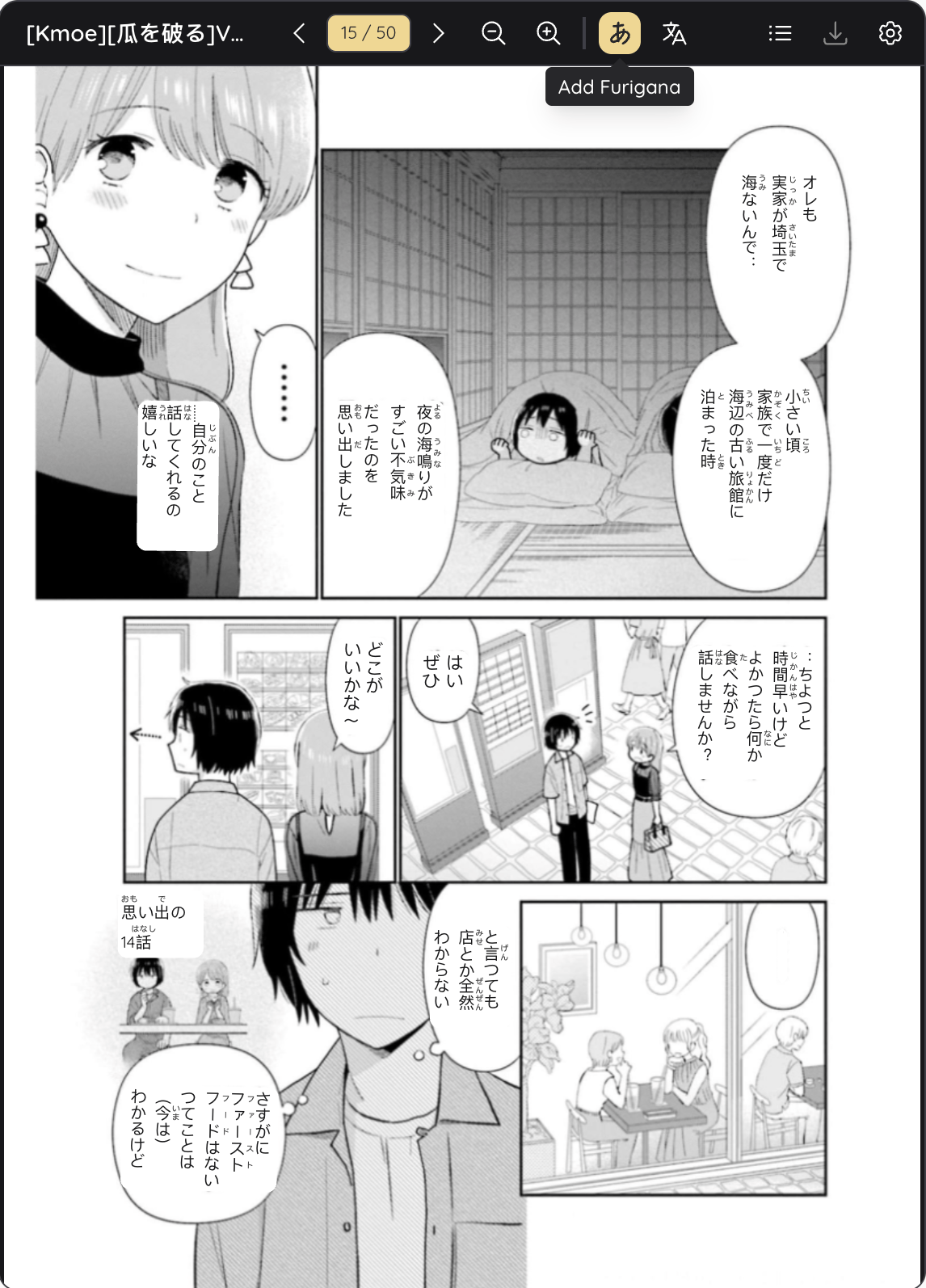
Furigana Annotation
Add furigana to kanji & borrowed words in chat bubbles
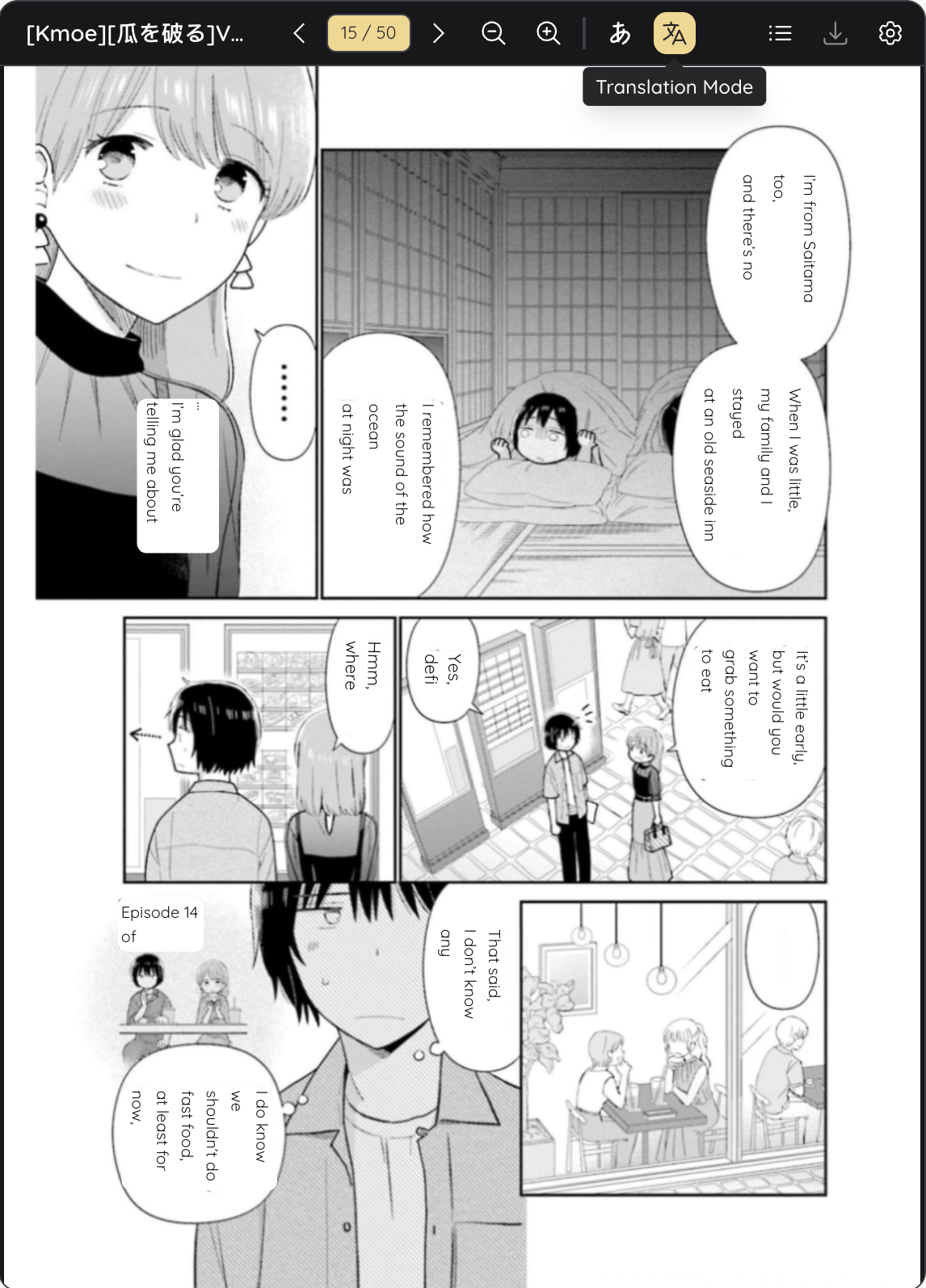
Manga Translation
Translate manga with original content for reference
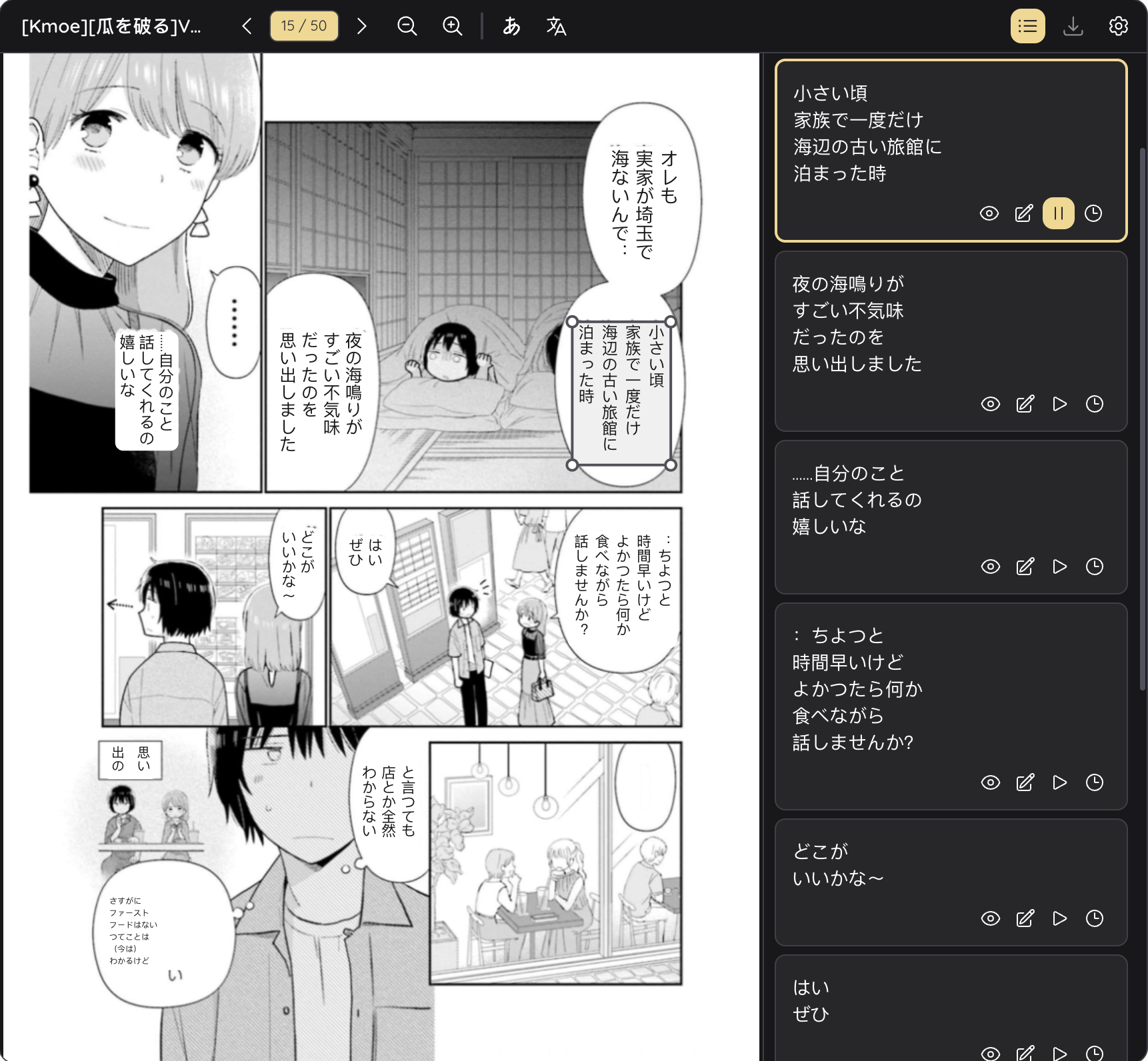
Manga to Audio
Turn manga blocks into interactive audio with natural Japanese voices
Content Extraction & Edit
Extract content from manga bubbles to copy & edit
Furigana Annotation
Add furigana to kanji & borrowed words in chat bubbles
Manga Translation
Translate manga with original content for reference
Manga to Audio
Turn manga blocks into interactive audio with natural Japanese voices
Choose the Plan That's Right for You
Start with a free experience, unlock more features anytime with Pro
Free
Get To Know Mooon's Core Features
Pro
Unlock Complete Feature Ecosystem
If you need support or feature feedbacks, please submit Contact & Feedback here
Frequently Asked Questions
Answers to common questions about Mooon
What file formats does Mooon support?
Mooon supports PDF, EPUB, TXT, PNG, and JPG. Maximum file size is 100MB per file.